Download this tool from [main repo](https://repo.weispace.net/wei/PlaylistSaver/releases) or [GitHub mirror](https://github.com/WeiDnite1222/PlaylistSaver) (Ensure the build version you downloaded support you
operating system and architecture)
Use any decompress tool to unzip the build file, then open `PlaylistSaver.exe` (For Unix-like system is `PlaylistSaver`)
> The PlaylistSaverHelper (this tool's Chrome extenstion. Used for transfer YouTube cookie to the main program) haven't listed from the Chrome Extenstion Store. Install via the normal way is impossible.
### Install Chrome extenstion
1. First, download the compressed extenstion `PlaylistSaverHelper.zip` from [release page](https://repo.weispace.net/wei/PlaylistSaver/releases) (or [GitHub mirror](https://repo.weispace.net/wei/PlaylistSaver/releases))
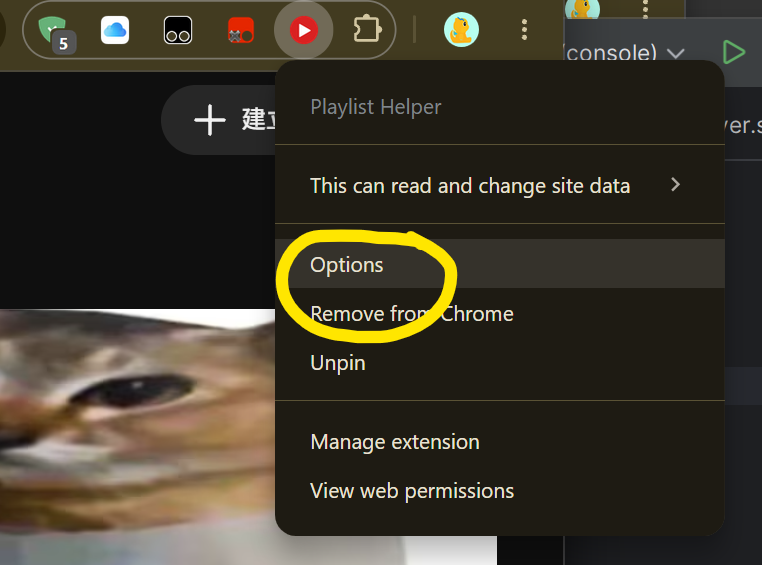
3. Go to YouTube, press `Alt+Z` or click PlaylistSaver icon (on extension list) and click `option` to open helper page.
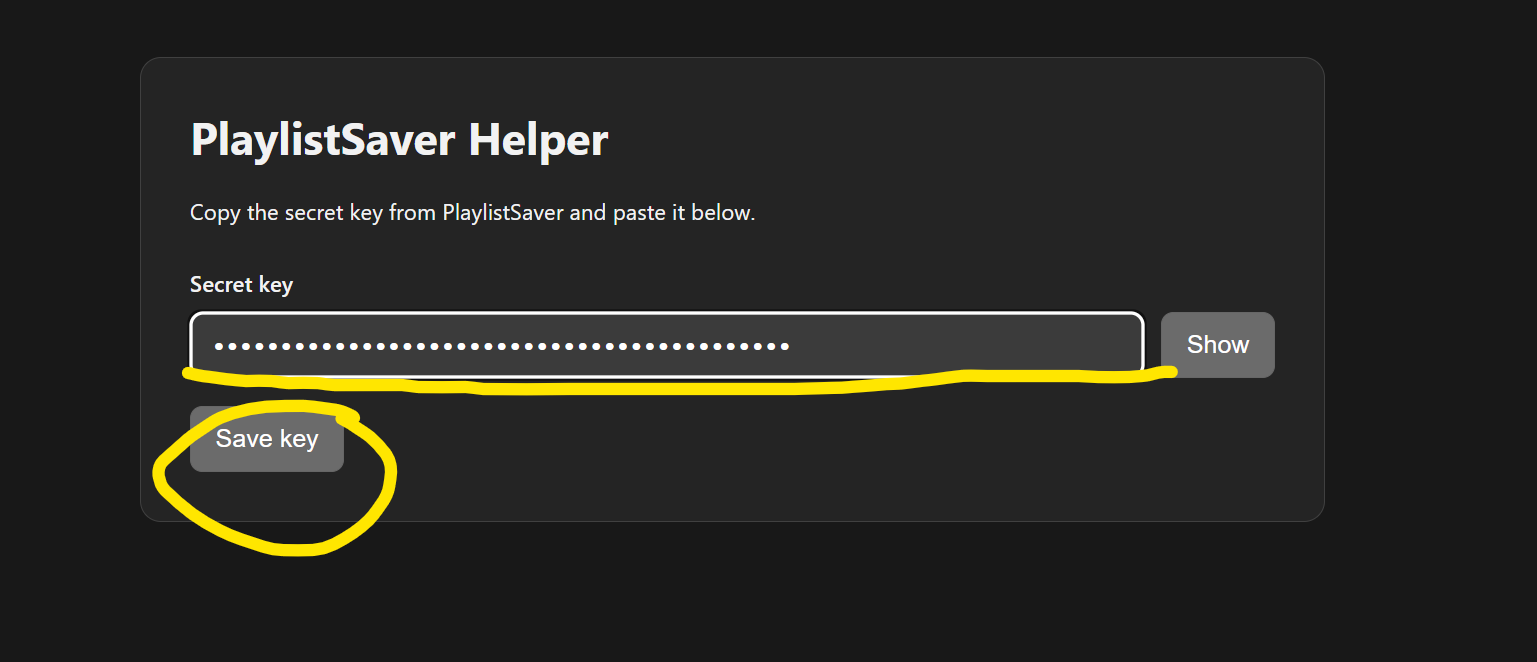
4. Paste the key to the helper page. Then press `Save key`
On any YouTube page, press `Alt+Y` to open PlaylistSaver. (If Chrome open helper page instead of open the tool. Ensure you have configure the secret key. If not, see section "Before Use: Configure secret key")
