
88 lines
3.4 KiB
Markdown
88 lines
3.4 KiB
Markdown
# PlaylistSaver
|
|
|
|
A tool to save your YouTube playlist.
|
|
|
|
## Run from source
|
|
|
|
Sync project and install dependencies.
|
|
```bash
|
|
uv sync
|
|
```
|
|
|
|
Activate the virtual environment and run tool with Python:
|
|
```bash
|
|
.venv/bin/activate # For Windows, use ".\.venv\Scripts\Activate.ps1" or ".\.venv\Scripts\activate.bat"
|
|
python main.py
|
|
```
|
|
|
|
# Run from build version
|
|
Download this tool from [main repo](https://repo.weispace.net/wei/PlaylistSaver/releases) or [GitHub mirror](https://github.com/WeiDnite1222/PlaylistSaver) (Ensure the build version you downloaded support you
|
|
operating system and architecture)
|
|
|
|
Use any decompress tool to unzip the build file, then open `PlaylistSaver.exe` (For Unix-like system is `PlaylistSaver`)
|
|
|
|
See `How to use` to get information about how to use this tool.
|
|
|
|
## Build
|
|
|
|
> [!IMPORTANT]
|
|
> This project does not support Nuitka for building. Some packages used in this project, such as mpv and yt-dlp,
|
|
> may not be able to function or may cause crashes in the building process.
|
|
|
|
Install build tools:
|
|
```bash
|
|
uv pip install -e ".[build]"
|
|
```
|
|
|
|
Build this project with PyInstaller:
|
|
|
|
On Windows, use `build.ps1` script:
|
|
```powershell
|
|
.\build.ps1 -Clean # Or "powershell .\build.ps1 -Clean" if you use cmd
|
|
```
|
|
|
|
On other platform, run below command to build:
|
|
```bash
|
|
python -m PyInstaller PlaylistSaver.spec
|
|
```
|
|
|
|
The build is written to `dist\PlaylistSaver`. This includes only the
|
|
bundled mpv files matching the operating system and CPU architecture on which the
|
|
build is performed. Build each target platform on that platform.
|
|
|
|
## Before Use
|
|
|
|
> [!IMPORTANT]
|
|
> You must configure the secret key before use this tool.
|
|
|
|
> [!NOTE]
|
|
> The PlaylistSaverHelper (this tool's Chrome extenstion. Used for transfer YouTube cookie to the main program) haven't listed from the Chrome Extenstion Store. Install via the normal way is impossible.
|
|
|
|
### Install Chrome extenstion
|
|
|
|
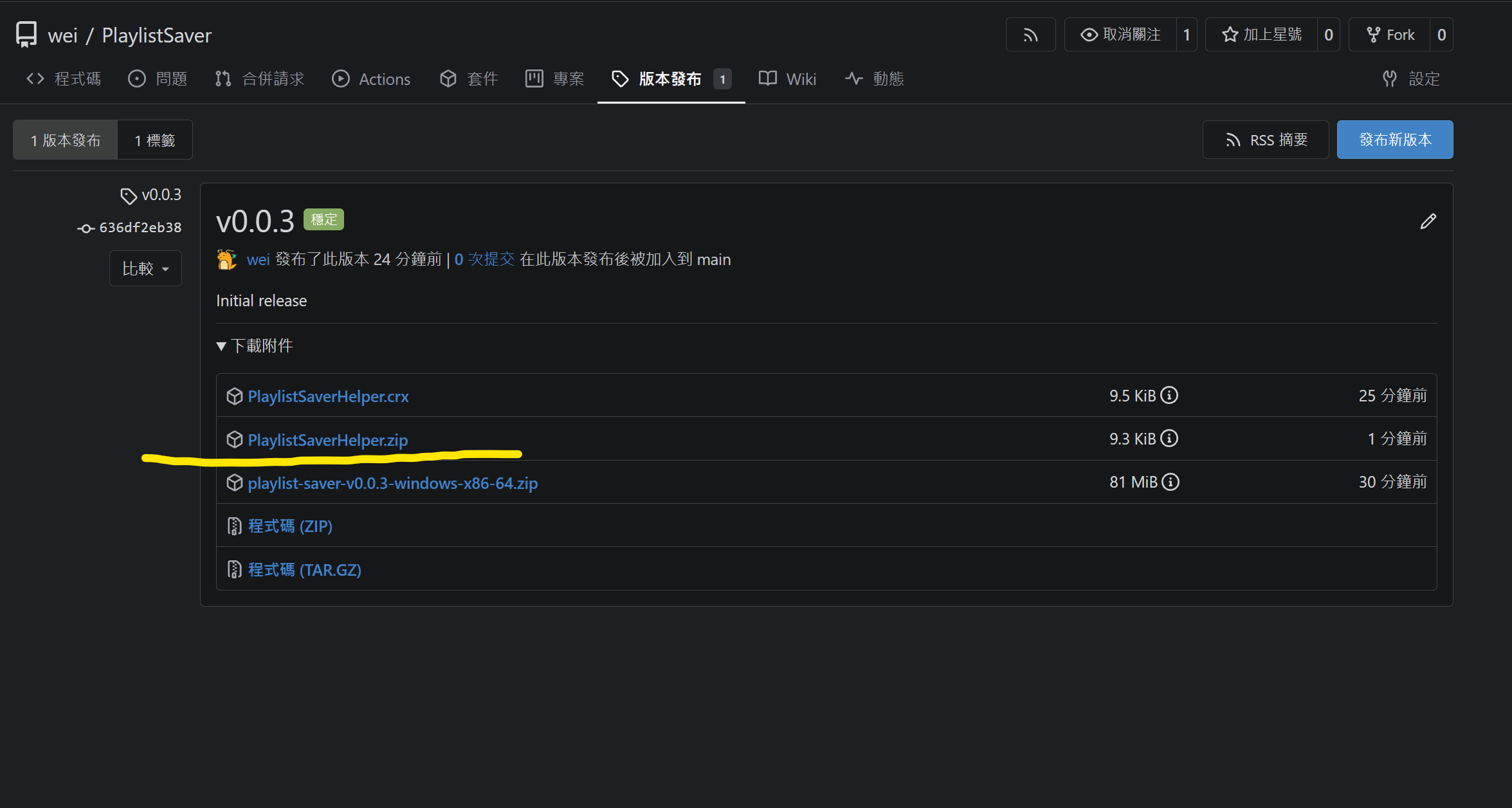
1. First, download the compressed extenstion `PlaylistSaverHelper.zip` from [release page](https://repo.weispace.net/wei/PlaylistSaver/releases) (or [GitHub mirror](https://repo.weispace.net/wei/PlaylistSaver/releases))
|
|
|
|
|
|
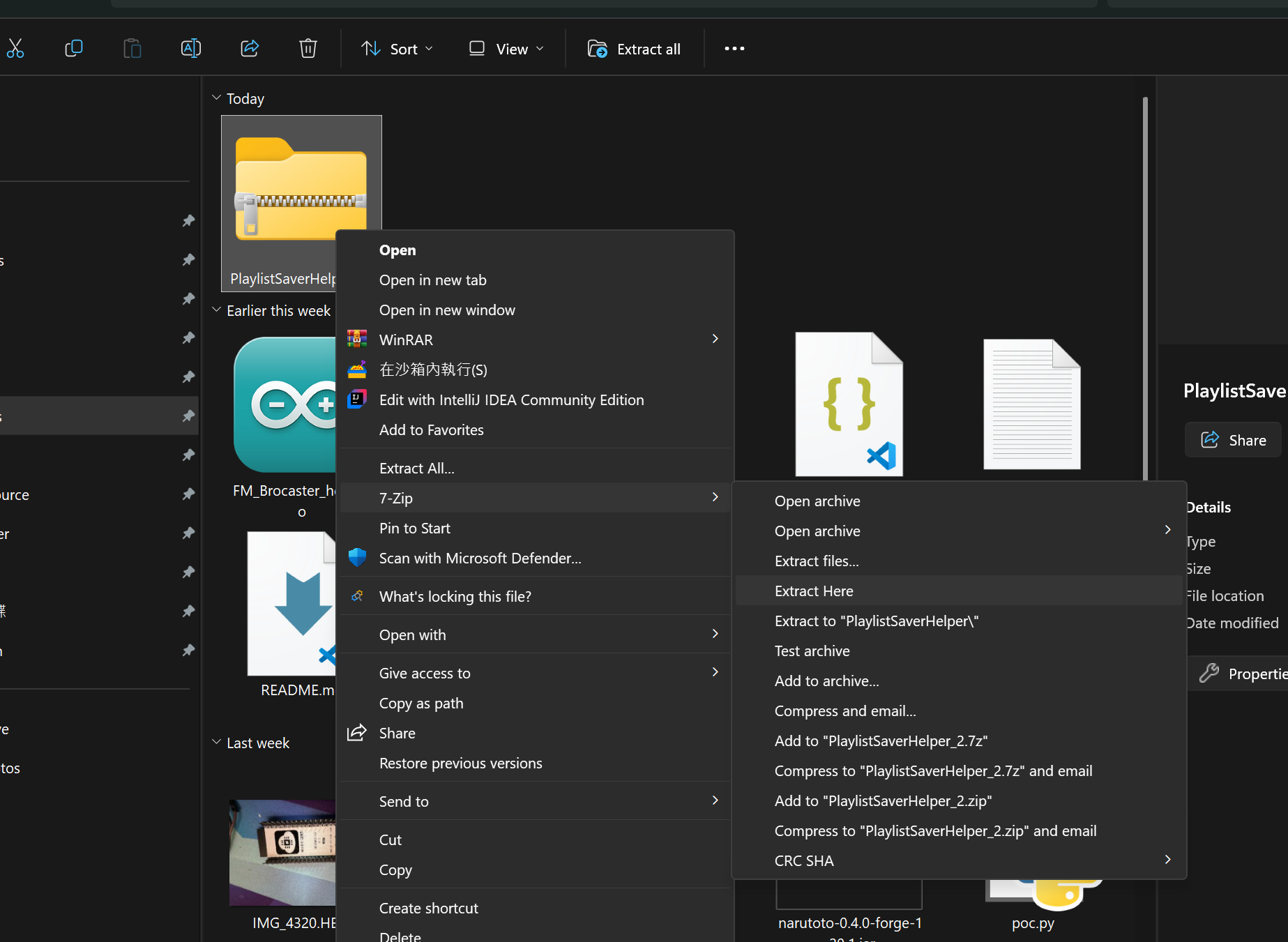
2. Unzip the compressed extenstion with any decompress tool.
|
|
|
|
|
|
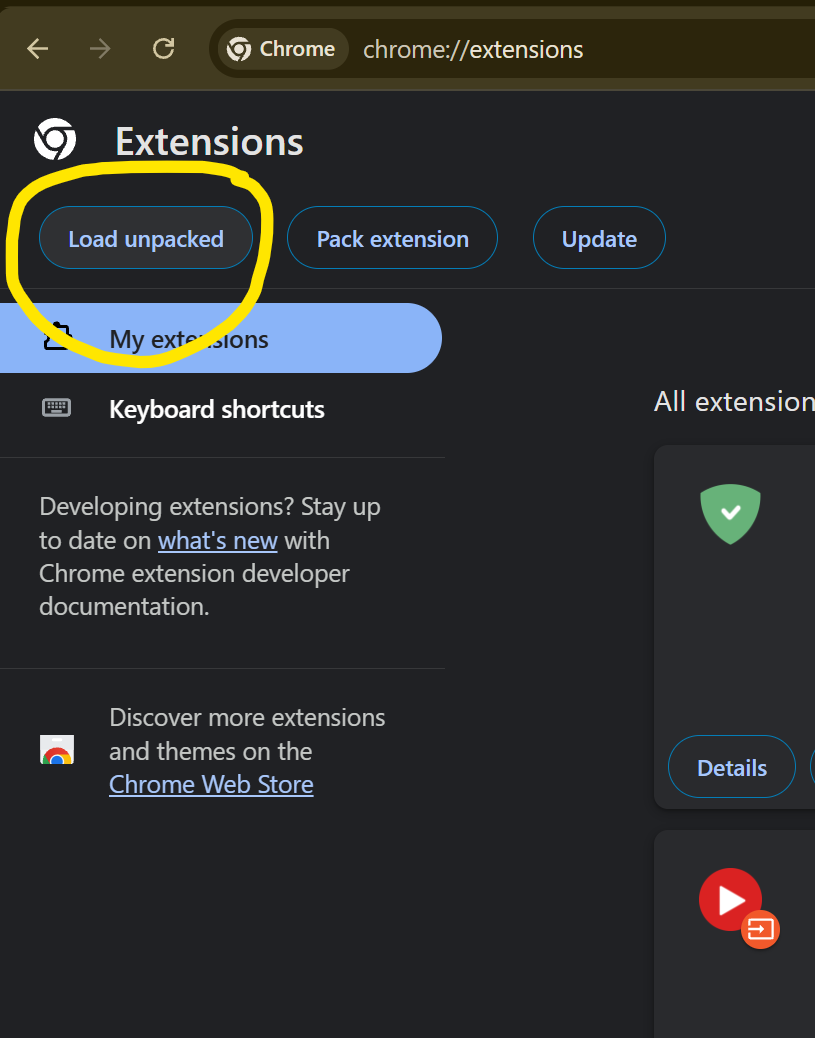
3. Open Chrome and go to `chrome://extensions/`, then click `Open unpacked` button.
|
|
|
|
|
|
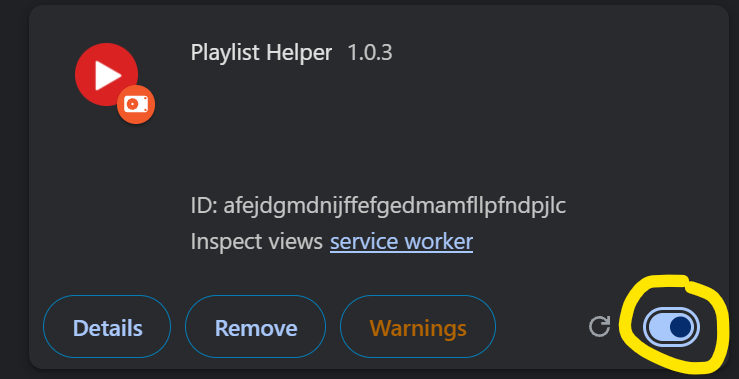
4. Enable the extension.
|
|
|
|
|
|
### Configure secret key
|
|
|
|
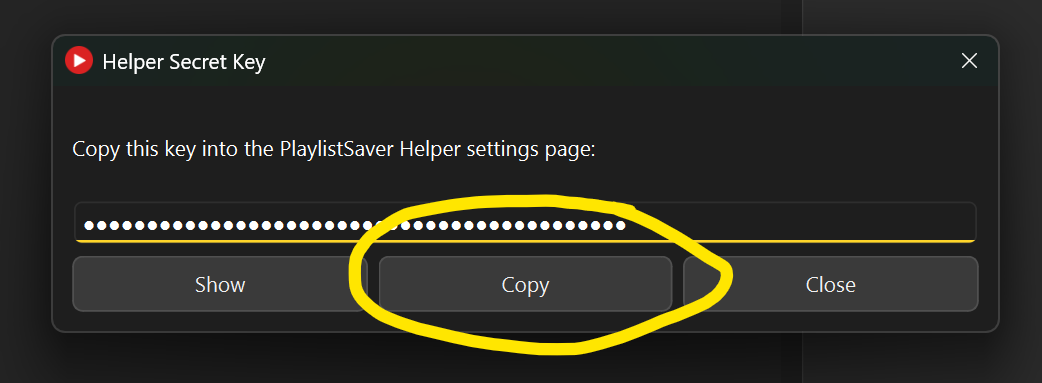
1. Open PlaylistSaver, then click `Helper Secret Key`
|
|

|
|
|
|
2. Copy secret key.
|
|
|
|
|
|
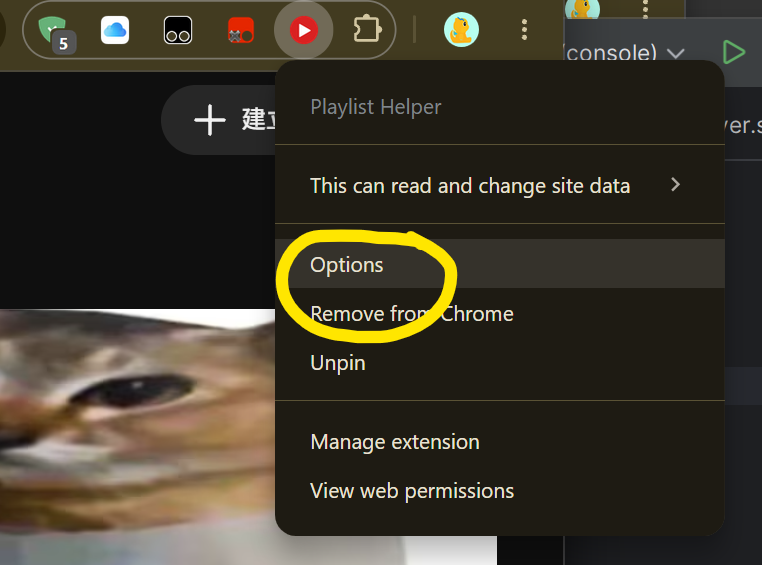
3. Go to YouTube, press `Alt+Z` or click PlaylistSaver icon (on extension list) and click `option` to open helper page.
|
|
|
|
|
|
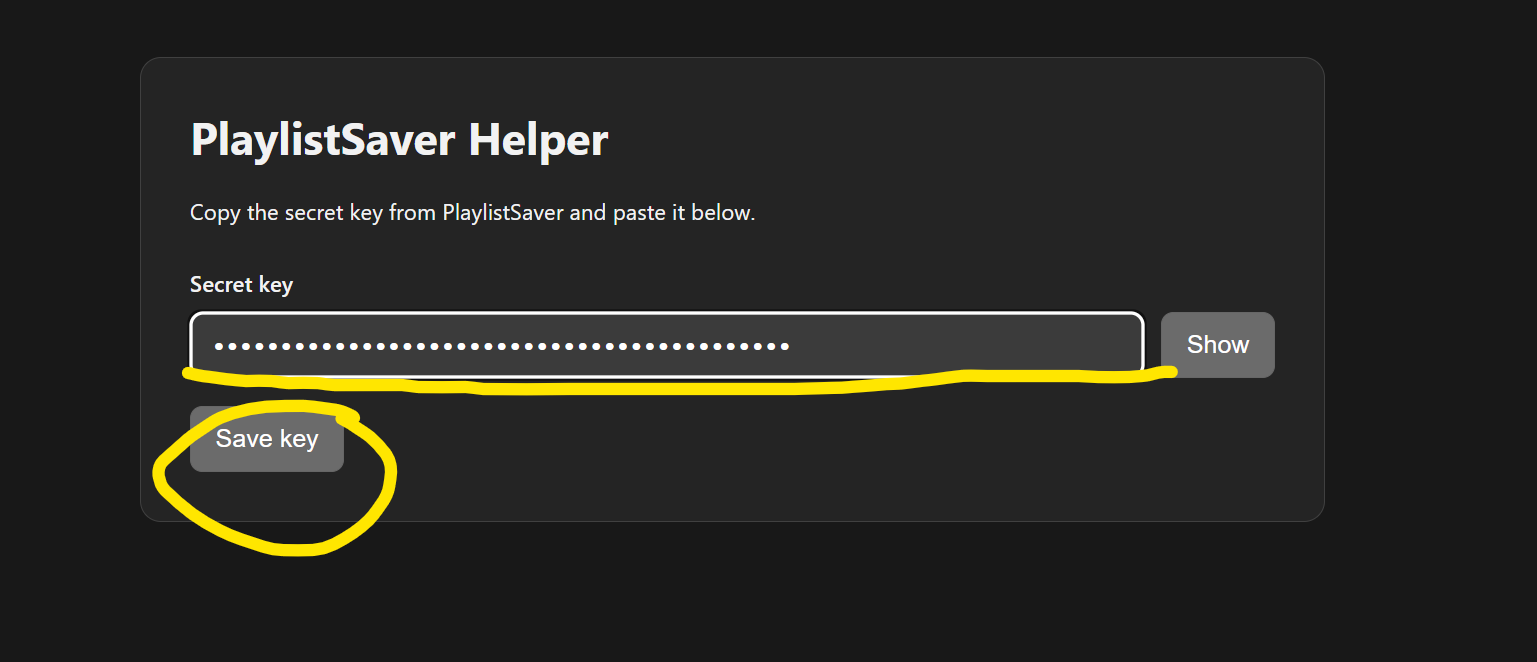
4. Paste the key to the helper page. Then press `Save key`
|
|
|