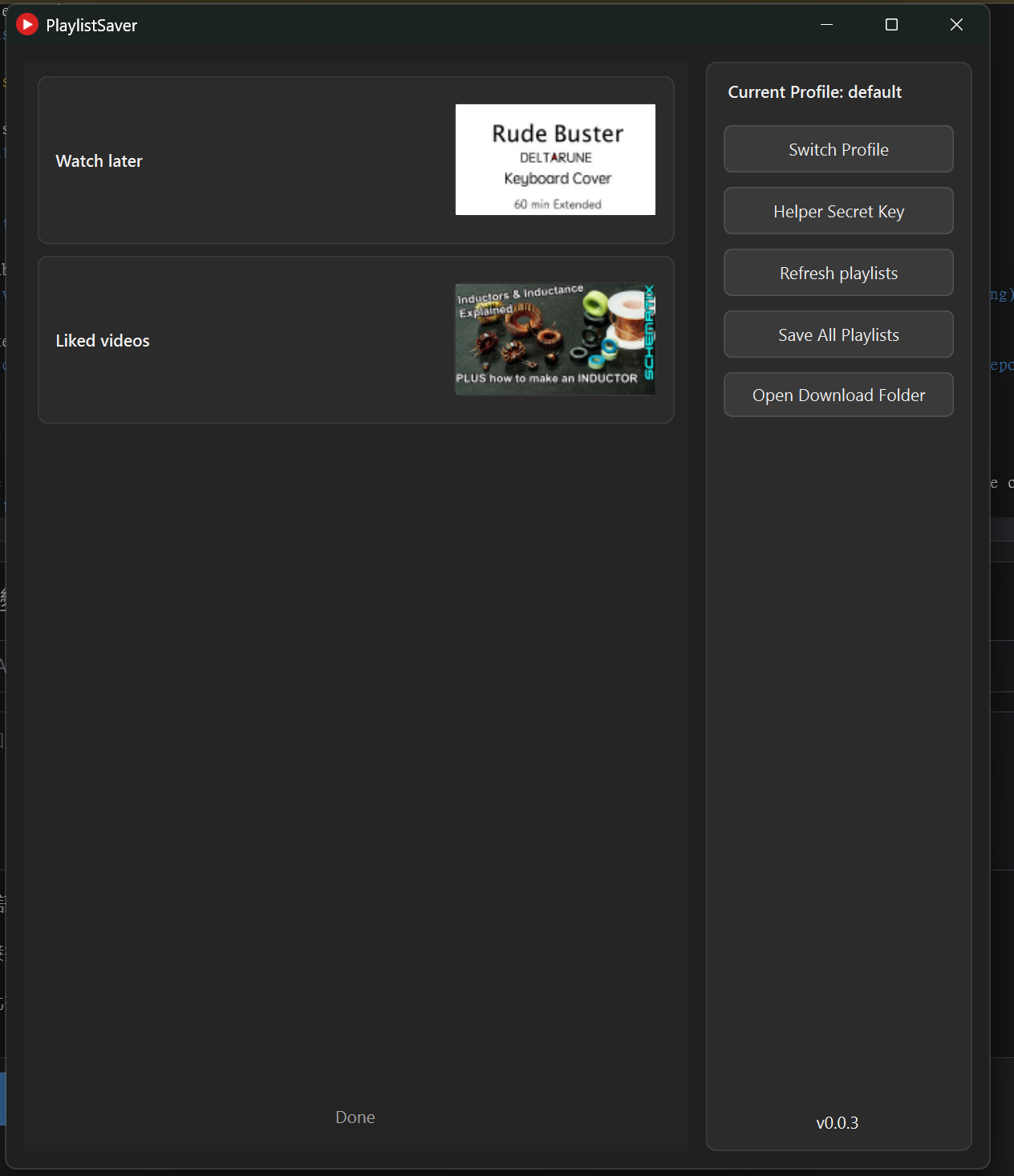
4.2 KiB

PlaylistSaver
A tool to save your YouTube playlist.
Features
- Save the playlist from the logged-in YouTube account.
- Download YouTube video from playlist.
- Play the video that is inside the playlist using mpv.
Run from source
Sync project and install dependencies.
uv sync
Activate the virtual environment and run tool with Python:
.venv/bin/activate # For Windows, use ".\.venv\Scripts\Activate.ps1" or ".\.venv\Scripts\activate.bat"
python main.py
Run from build version
Download this tool from main repo or GitHub mirror (Ensure the build version you downloaded support you operating system and architecture)
Use any decompress tool to unzip the build file, then open PlaylistSaver.exe (For Unix-like system is PlaylistSaver)
See How to use to get information about how to use this tool.
Build
Important
This project does not support Nuitka for building. Some packages used in this project, such as mpv and yt-dlp, may not be able to function or may cause crashes in the building process.
Install build tools:
uv pip install -e ".[build]"
Build this project with PyInstaller:
On Windows, use build.ps1 script:
.\build.ps1 -Clean # Or "powershell .\build.ps1 -Clean" if you use cmd
On other platform, run below command to build:
python -m PyInstaller PlaylistSaver.spec
The build is written to dist\PlaylistSaver. This includes only the
bundled mpv files matching the operating system and CPU architecture on which the
build is performed. Build each target platform on that platform.
Before Use
Important
You must configure the secret key before use this tool. Is necessary for PlaylistSaver to fetch playlist as your YouTube account)
Note
The PlaylistSaverHelper (this tool's Chrome extenstion. Used for transfer YouTube cookie to the main program) haven't listed from the Chrome Extenstion Store. Install via the normal way is impossible.
Install Chrome extenstion
-
First, download the compressed extenstion
PlaylistSaverHelper.zipfrom release page (or GitHub mirror)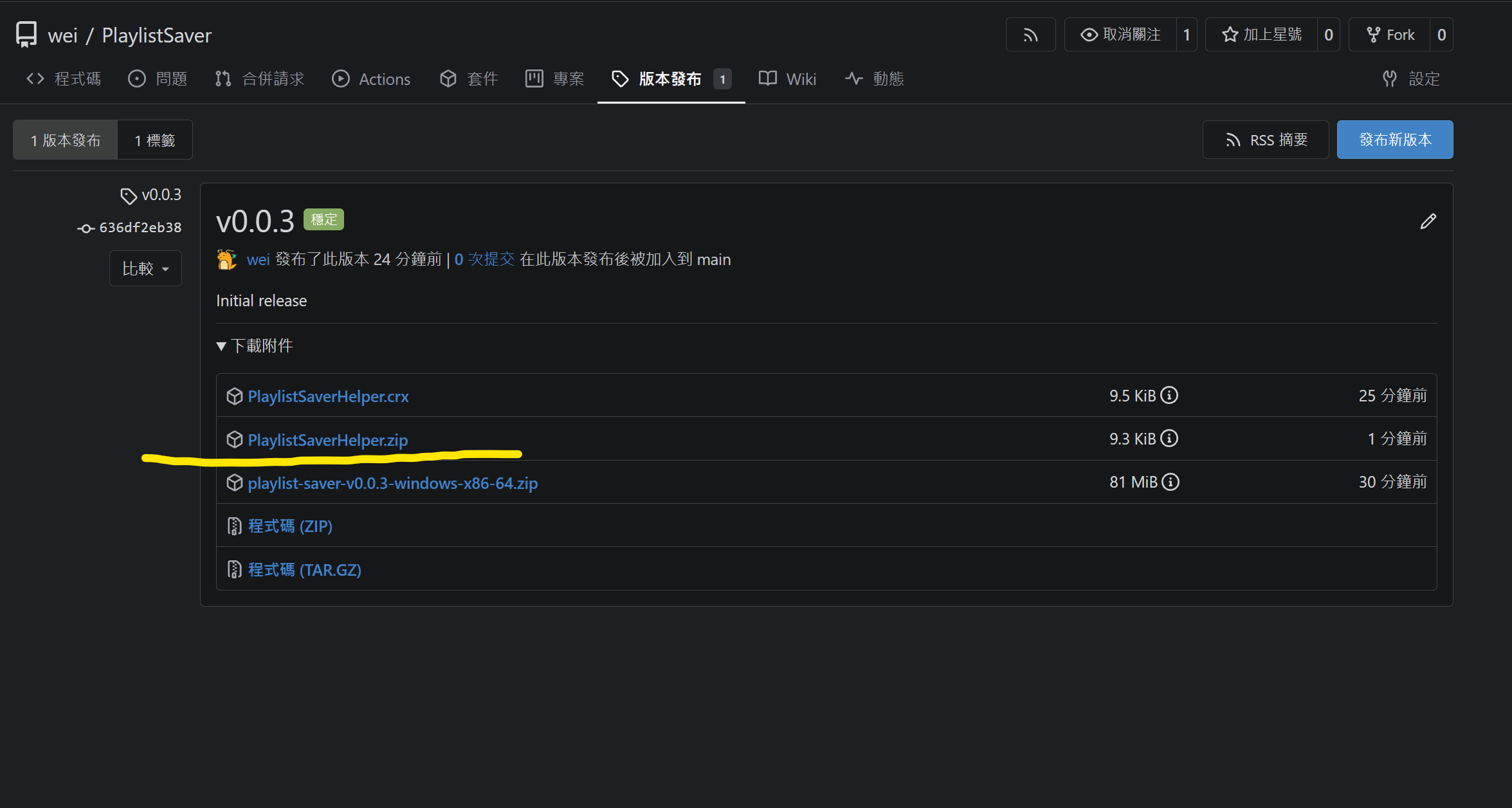
-
Unzip the compressed extenstion with any decompress tool.
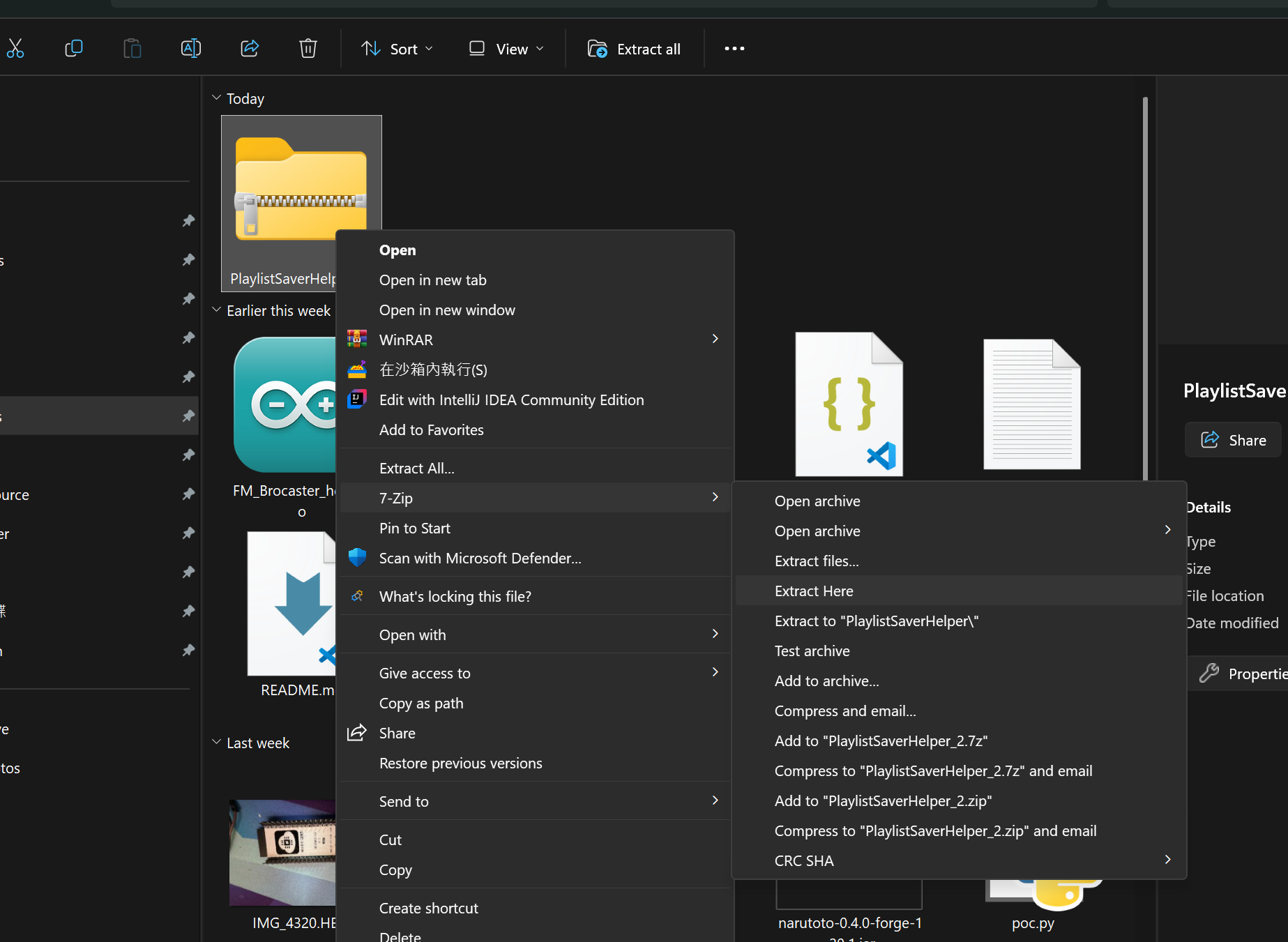
-
Open Chrome and go to
chrome://extensions/, then clickOpen unpackedbutton.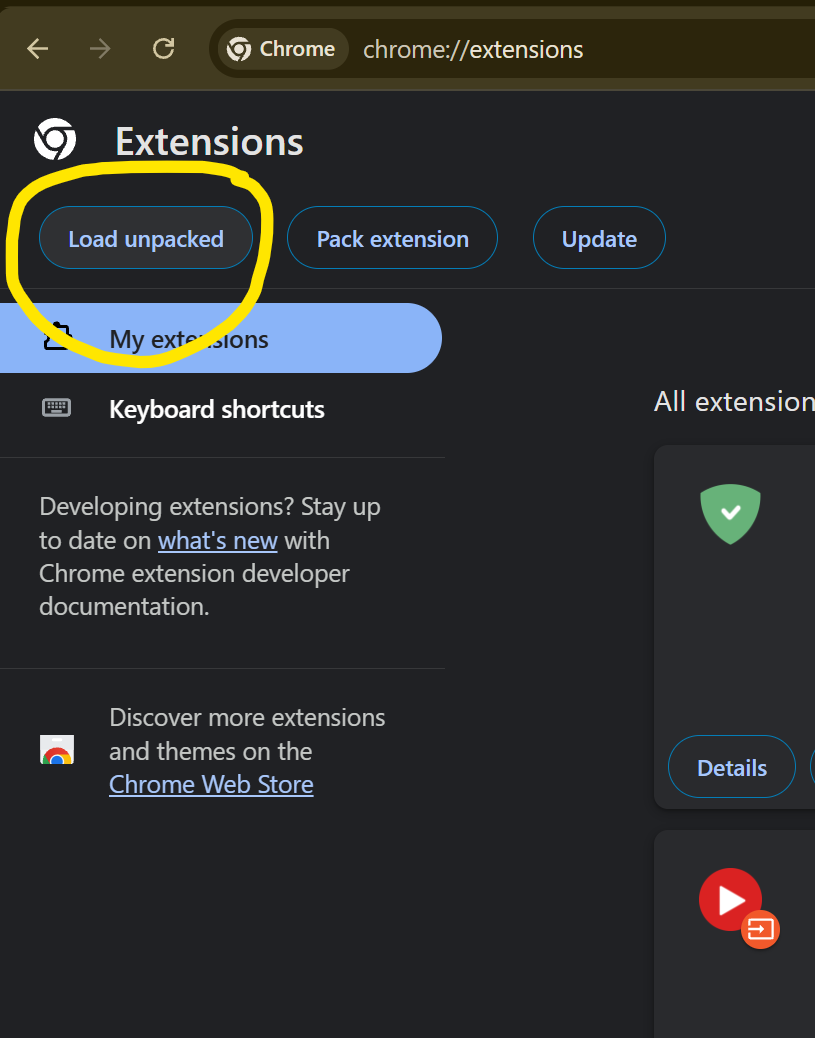
-
Enable the extension.
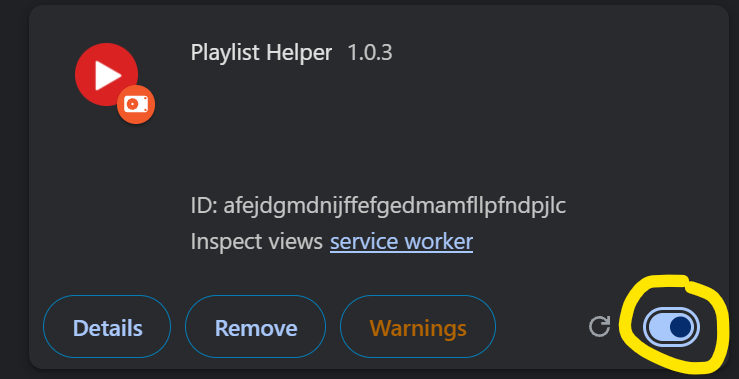
Configure secret key
-
Open PlaylistSaver, then click
Helper Secret Key
-
Copy secret key.
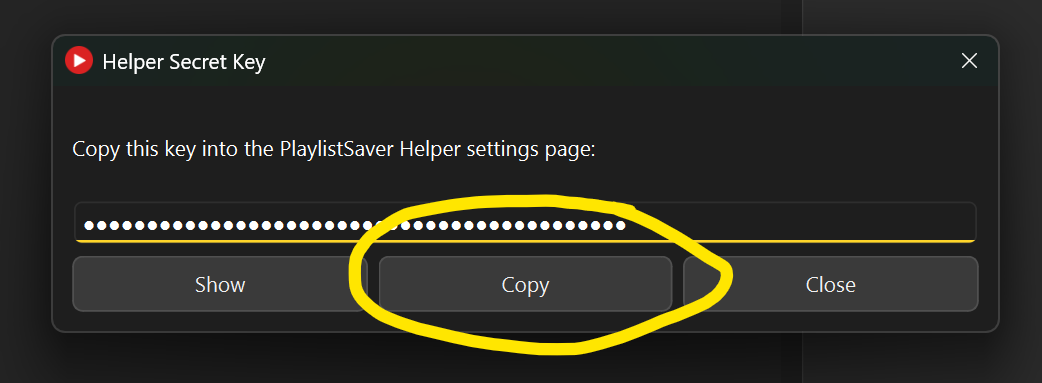
-
Go to YouTube, press
Alt+Zor click PlaylistSaver icon (on extension list) and clickoptionto open helper page.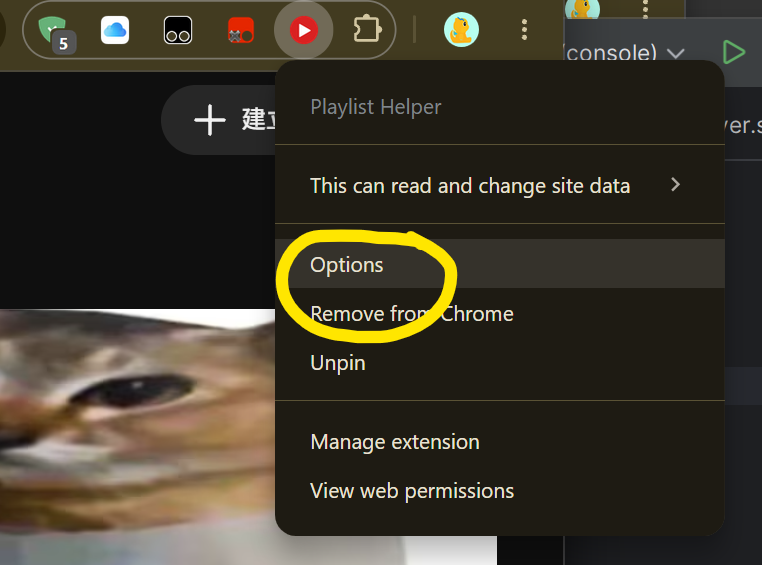
-
Paste the key to the helper page. Then press
Save key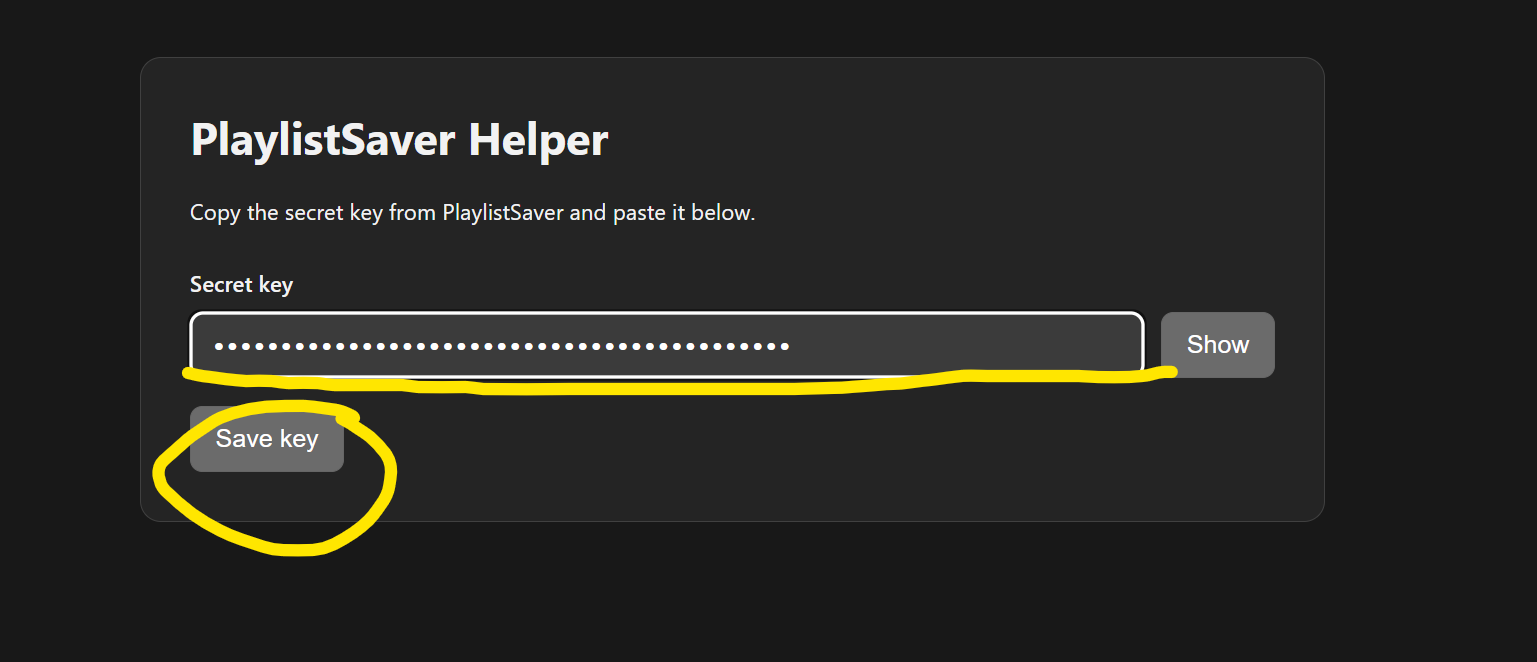
How to use
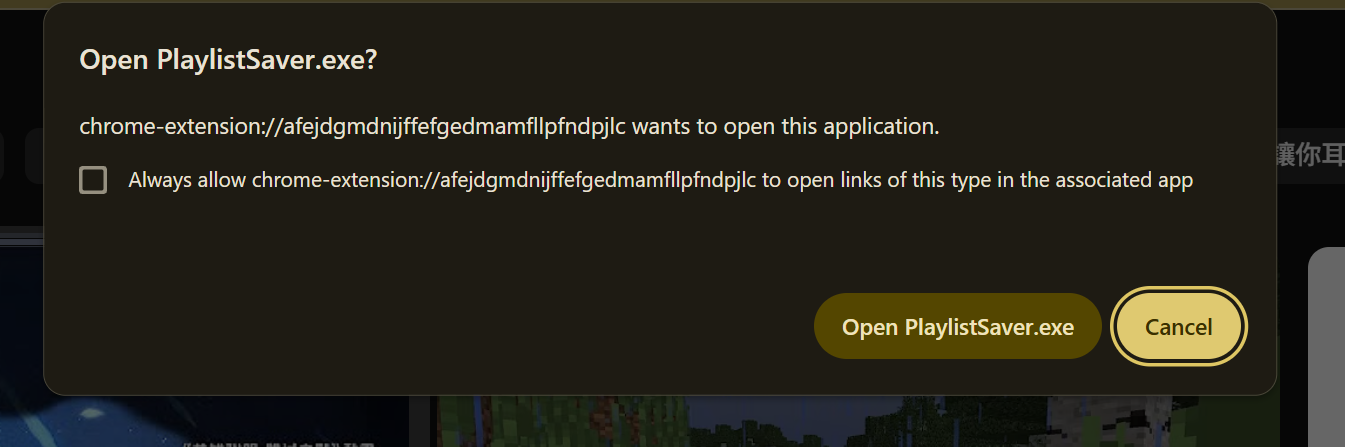
On any YouTube page, press Alt+Y to open PlaylistSaver. (If Chrome open helper page instead of open the tool. Ensure you have configure the secret key. If not, see section "Before Use: Configure secret key")
Enjoy the tool!